create
Piano
Play tunes on a real playable keyboard!
Fill the pictures with any colors you like!
Free to play · No ads · No sign-up
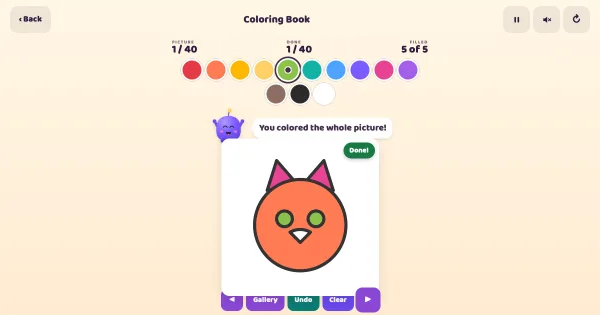
Coloring Book is a calm, open-ended creative playground with no wrong answers. Pick a color from the palette and tap any part of the picture to fill it in. Color a fish, a flower, a house, a rocket, or a butterfly however you imagine it. Change colors as often as you like, clear it and start again, or flip to the next picture. Pure, relaxing creativity for little artists.
Coloring Book is one of our free music & art games for kids — play it right here in your browser, or browse all our free online games.
Coloring Book is open-ended creative play. There are no right answers and no timer: a child picks colours, fills areas, changes their mind and makes a picture their own. Choosing colours on purpose, such as a blue sun or a green cat, is an early form of creative decision-making that children enjoy because nobody can tell them they are wrong.
It also practises colour names and careful tapping inside a shape, which is the screen version of colouring inside the lines. Pibbit, the helper, can point out what is left to colour, there is a button to start a picture again, and the arrows move between pictures.
Made for ages 3 to 8. Three- and four-year-olds enjoy tapping colours into big areas and usually need no help. Older children spend longer choosing colours and finishing every detail. For a printed version, the free colouring pages in our Learning Center print on any home printer.
Ask about the picture rather than praising it: 'Why did you make the cat purple?' gets children talking about their choices.
Name the colours as they pick them, especially the in-between ones like orange and purple.
Pair it with a printed colouring page so they can do the same picture with crayons.
Yes — Coloring Book is completely free to play here in your browser. There's no sign-up, no download and nothing to buy.
Tap a color, then tap the picture. Choose a color from the row of dots at the top.
No. Coloring Book runs in any web browser on a phone, tablet or computer — just open the page and play. Nothing installs.
Coloring Book is made for ages 3 to 8. It helps children practise choosing colours and making a picture their own while they play.
Play tunes on a real playable keyboard!
Connect the numbered dots to reveal a picture!
Tap the colorful bars to make music!
Tap squares to build your own loop of music
Drag the shapes to build a rocket!
Swap the tiles to rebuild the picture!
Math, reading, spelling, flashcards and coloring pages — all free in our Learning Center.