memory
Simon Says
Watch, listen, and repeat the color pattern!
Flip the cards and find every matching pair!
Free to play · No ads · No sign-up
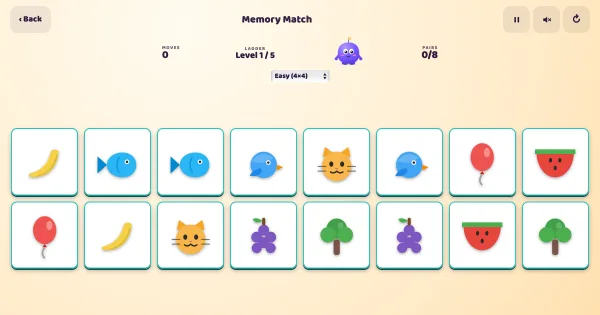
Memory Match is a classic concentration game that gives young brains a friendly workout. All the cards start face down. Flip two at a time to find matching pairs of pictures, remember where each one is, and clear the whole board in as few moves as possible. Five levels take a child from an easy 4×4 board to a 6×6 Master board with a move limit.
Memory Match is one of our free memory & attention games for kids — play it right here in your browser, or browse all our free online games. It is also in our 1 player games for kids collection.
Memory Match trains visual memory: remembering where a picture was after it has been turned face down again. Each card a child flips is information they have to hold onto, and clearing the board in fewer moves means using that information instead of flipping at random.
It also builds concentration and simple strategy. Children discover on their own that flipping a new card is better than flipping one they have already seen, and that saying the picture names out loud helps them remember. The game has five levels, from an easy 4×4 board of eight pairs to a 6×6 Master board with a move limit, and the Expert board shuffles a few cards every six moves.
Works for ages 3 to 12. Three- and four-year-olds can play the easy board with a parent; most five-year-olds play it alone. The Hard, Expert and Master boards are a real test for older children, and adults often find the Master board harder than they expect.
Play together and take turns. Young children learn the strategy by watching you remember a card you saw earlier.
Name each picture out loud as it flips. Words are easier to remember than images on their own.
Count the moves and try to beat the number next time, rather than racing the clock.
Yes — Memory Match is completely free to play here in your browser. There's no sign-up, no download and nothing to buy.
Click or tap the cards. Click or tap a card to flip it face up.
No. Memory Match runs in any web browser on a phone, tablet or computer — just open the page and play. Nothing installs.
Memory Match is made for ages 3 to 12. It helps children practise remembering where each picture was while they play.
Watch, listen, and repeat the color pattern!
Remember the items, then spot the one that vanished!
Flip the cards and match the musical notes!
Which picture made this shadow?
Find the tile that fits
How fast can you tap when the screen turns green?
Math, reading, spelling, flashcards and coloring pages — all free in our Learning Center.